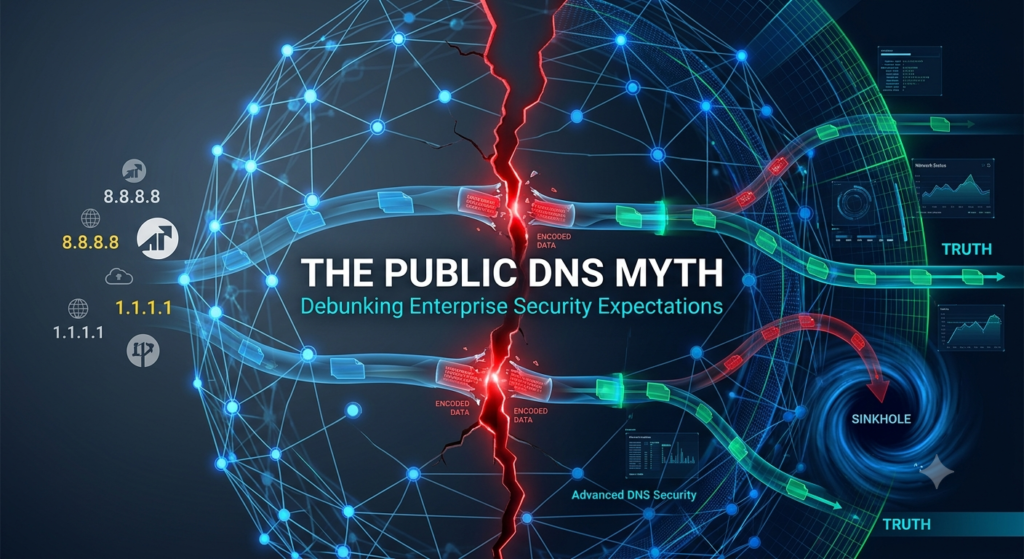
Almost 50% of SMBs and Enterprises still send their DNS traffic to public resolvers like Google, Cloudflare, or Quad9. In fact, these services handle roughly 20% of all DNS requests globally. It’s probably sufficient for your everyday home user but what risks does it present to your business?
The Nostalgic Choice: Why We Rely on Public DNS
Let’s rewind back in time a little. As the IT or Network Admin, you configured your corporate routers to use a “safe and resilient DNS provider” rather than relying on your ISP (which, depending on the size of your business, could mean a different ISP per site).
Most seasoned techies went down the route of Google’s 8.8.8.8 or Cloudflare’s 1.1.1.1 services. Why? Because honestly, they’re fast, block known bad domains, and “just work.”
- Cloudflare: Focuses on speed and strict privacy, purging all logs within 24 hours.
- Google: Focuses on global scale and reliability, with exceptionally low latency.
- Quad9 (9.9.9.9): Focuses on safety by blocking known malware and phishing domains while storing zero Personally Identifiable Information (PII).
They all have one thing in common, however: they give IT leaders a false sense of complete security. Using these services for corporate traffic is like putting a standard lock on the door when you actually need an airport security checkpoint.
Why Public DNS Resolvers Fall Short: The Attacker’s Lens
Rather than listing out features, let’s take a look at this through an attacker’s lens:
The “Patient Zero” Advantage: Palo Alto Networks Precision AI uses inline machine learning and generative models to evaluate domain attributes in real time. If you are the “patient zero” target, Precision AI blocks the connection as a C2 domain before public DNS feeds even know the domain exists.
Domain Generation Algorithms (DGAs): Attackers commonly use DGAs to register fresh domains that act as short-lived vehicles for an attack. These domains exist for just a few minutes—long enough for the attack to take place, but not long enough for feed-based providers like Quad9 or Cloudflare to index them.
The Hidden Vectors: Port 53 & DNS over HTTPS (DoH)
Most Secure Web Gateways (SWGs) only inspect standard web traffic on Ports 80 and 443, but ignore Port 53—not to mention DNS over HTTPS (DoH) traversing Port 443—making DNS the favorite vector for malware.

Here is how attackers exploit this gap: They break up sensitive files into smaller strings and hide them inside the DNS request header (e.g., <encoded_data>.attacker-domain.com). Because public DNS resolvers don’t inspect packet contents, they blindly route the query to the attacker’s authoritative name server—unwittingly acting as the data courier.
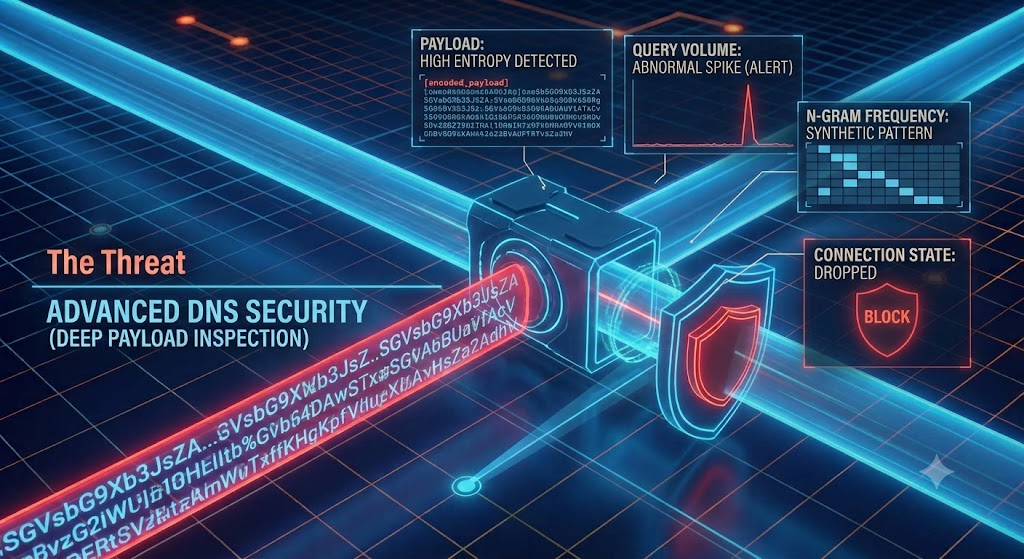
Enterprise DNS utilizes deep packet inspection across all DNS traffic, evaluating real-time metrics:
- Query Entropy: Checks for encoded data appearing as random strings (e.g.,
a6h8ff8k07.attacker-domain.com). - Volume Tracking: Normal DNS traffic consists of occasional lookups; DNS tunneling fires thousands of tiny queries per second to move a file. Sudden spikes signal data exfiltration.
- N-gram Frequency: Analyzes contiguous sequences of letters against natural language patterns (like common English pairs “th” or “ing”) to detect synthetic, encoded text strings.
By performing this inline inspection in real time, Advanced DNS Security (part of PANW Cloud-Delivered Security Services) drops the malicious connection mid-transmission, stopping data exfiltration before the file leaves your network.
Finding the Needle in the Haystack: Identity & SOC Automation
When an internal machine calls out to a malicious domain, a public resolver only sees the request coming from your corporate edge router. If you operate a single internet breakout, pinpointing that infected internal host is like finding a needle in a haystack.
Taking a platform approach ties every DNS request directly to a specific device, IP address, and user identity:
SOC Playbooks via Cortex: If your SOC uses Cortex, the threat automatically triggers a Dynamic Address Group (DAG) to isolate the infected endpoint. An automated playbook can then alert first responders via an ITSM ticket—ensuring no threats traverse your network.
Automated Sinkholing: Built into PAN-OS on every NGFW, sinkholing redirects compromised internal devices to a safe IP address to immediately contain the threat without manual effort.
As always, lets give you a tl:dr. Public DNS is fantastic for home or personal devices, but lets be transparent – corporate networks are far more attractive to bad actors, and simple blocklists aren’t sufficient in stopping those modern-day attacks. Look at how your network operates, look into Palo Alto Networks DNS Security, it could save a breach.
TL;DR
50% of businesses still use Public DNS, and 80% of Enterprises pay for Enterprise-grade DNS Security yet still inadvertently route traffic through public or ISP-provided resolvers.
Where does your business stand?
Public DNS is fantastic for personal devices, but corporate networks are far more attractive targets, and simple blocklists cannot stop modern attacks. Review how your network operates today and explore Palo Alto Networks Advanced DNS Security—it could save you from a major breach.